E2EE · DEVICE KEYS
Your server can't read it.
The phone encrypts tasks, notes and images before they leave it, like every other device.

Aven for iPhone and Android
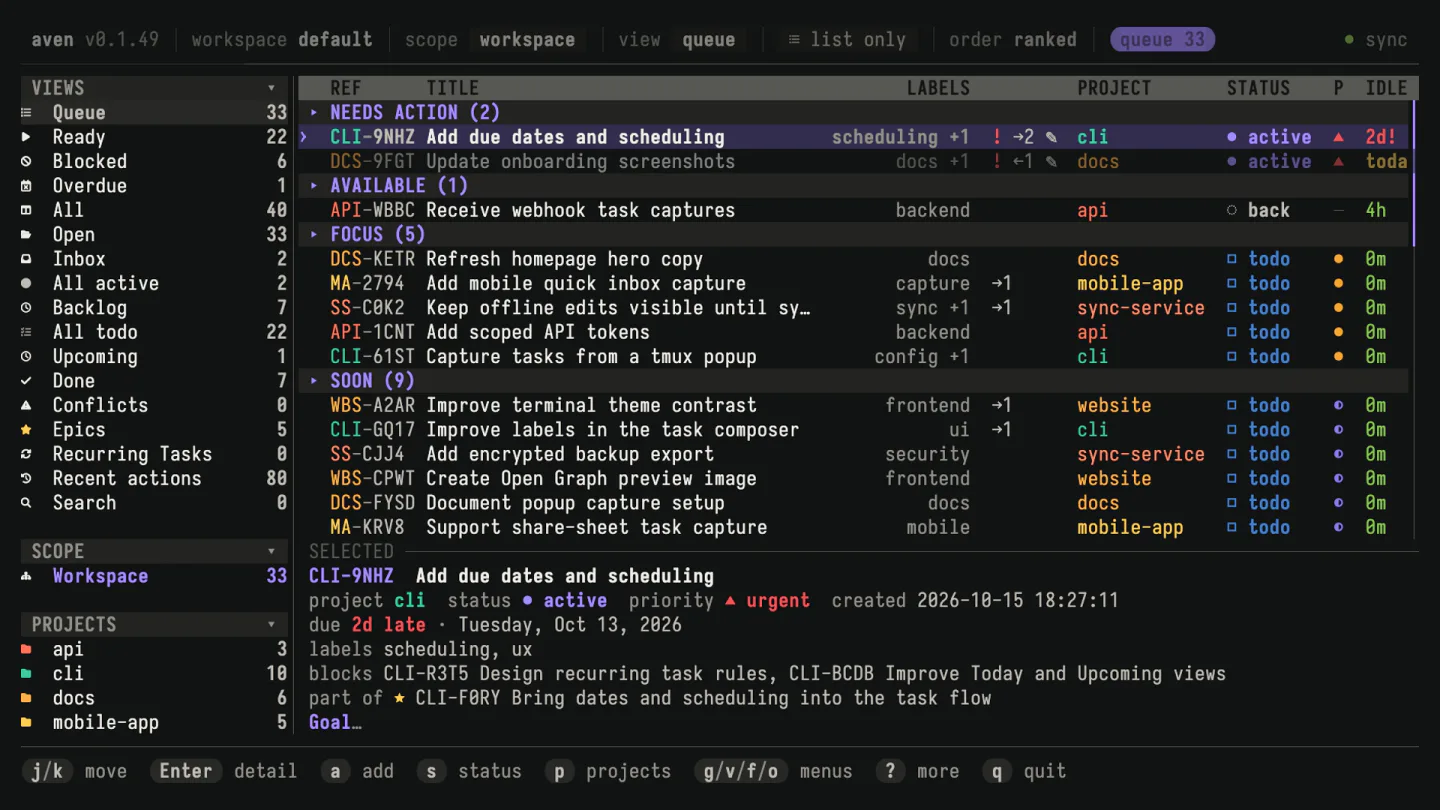
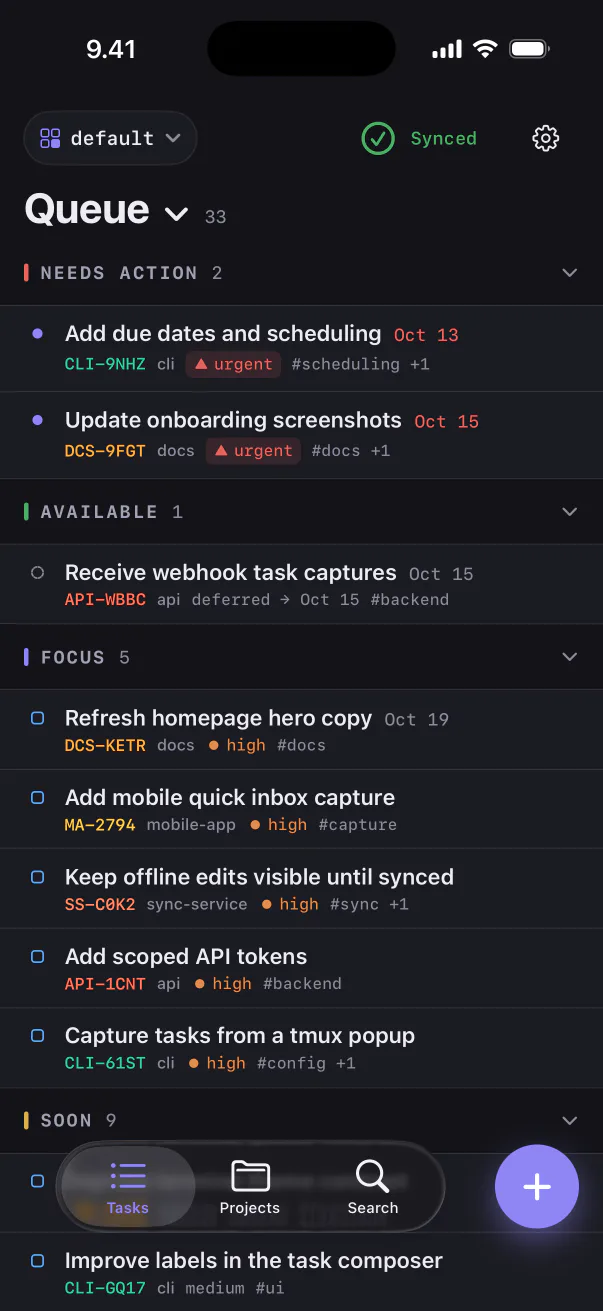
The phone apps carry the same queue you run in the terminal, synced end-to-end encrypted through your server or Aven Cloud.


A companion to Aven on your computer. Pair it with your existing sync.
Use cases
When it occurs to you
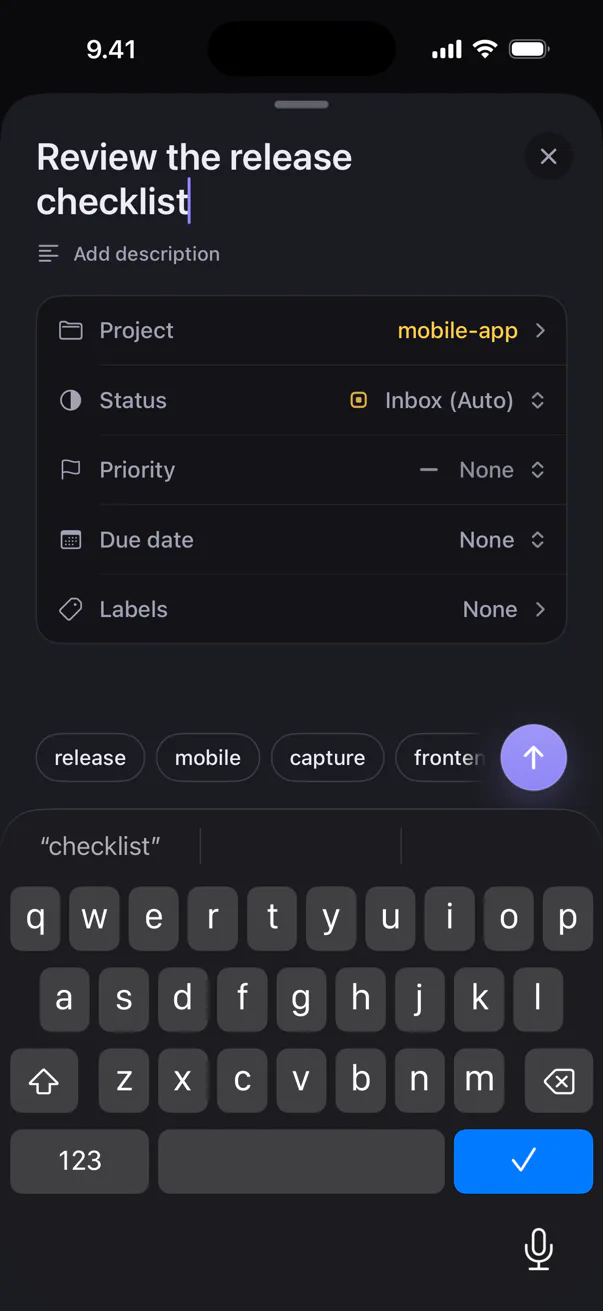
Tap +, type it, pick the project. It saves on the phone, signal or not, and is in your terminal queue by the time you sit down.
On the way in
The queue groups tasks the same way the TUI does: Needs action, Available, Focus, Soon. You know what is first before you open the laptop.
When someone asks about it
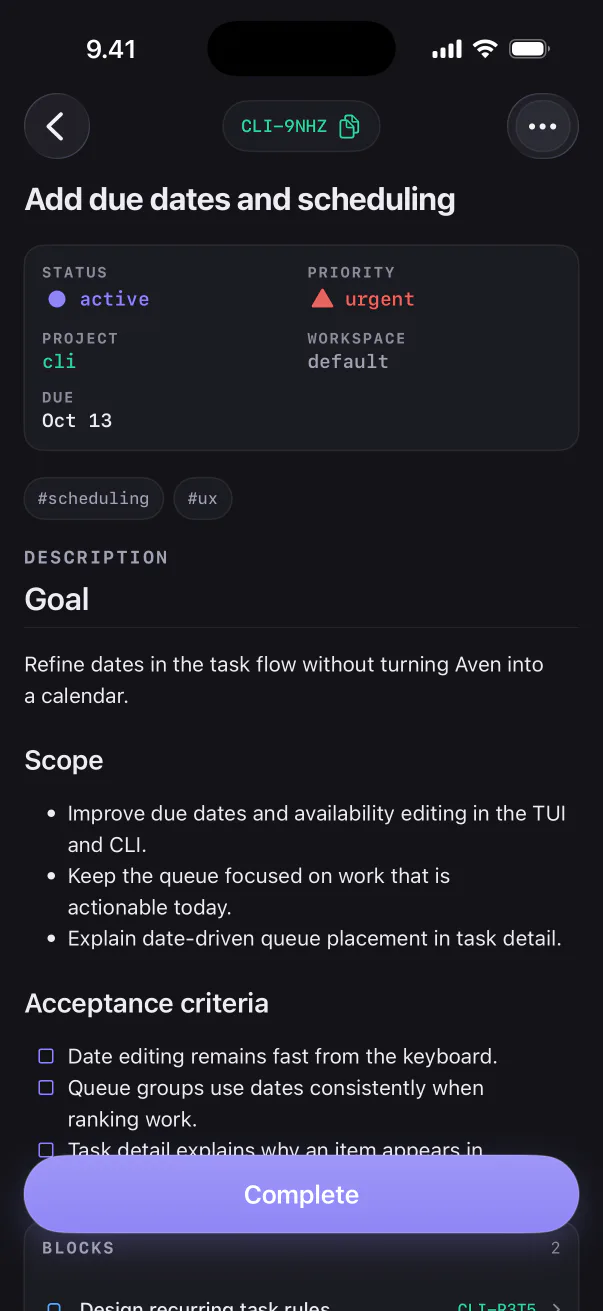
The whole task is on the phone: the Markdown description, checklists, what it blocks and the epic it belongs to.
Set up once
aven sync invite.E2EE · DEVICE KEYS
The phone encrypts tasks, notes and images before they leave it, like every other device.
LOCAL · OFFLINE
Every task is stored on the phone. Changes wait and sync when your server is reachable.
NO ANALYTICS
No ads, no usage analytics, no third-party crash reporting. Privacy policy
Already running sync? You're one scan away. Not yet? Set up sync.